特にドキュメントを見れば分かる内容なのですが,自分のメモ用として残しておきます。
using PromptingTools
PromptingTools.register_model!(; name="qwen3-vl:8b-instruct", schema=PromptingTools.OllamaSchema())
PromptingTools.MODEL_ALIASES["qwen3-vl"] = "qwen3-vl:8b-instruct"

result = aiscan("画像の文字列をそのまま抽出して下さい";
    image_path="/home/ujimushi/Downloads/test.png", model="qwen3-vl",
    api_kwargs=(url="http://192.168.1.xx", options=(num_ctx=32768,)))
次の画像で実行した結果を参考例としておいておきます。
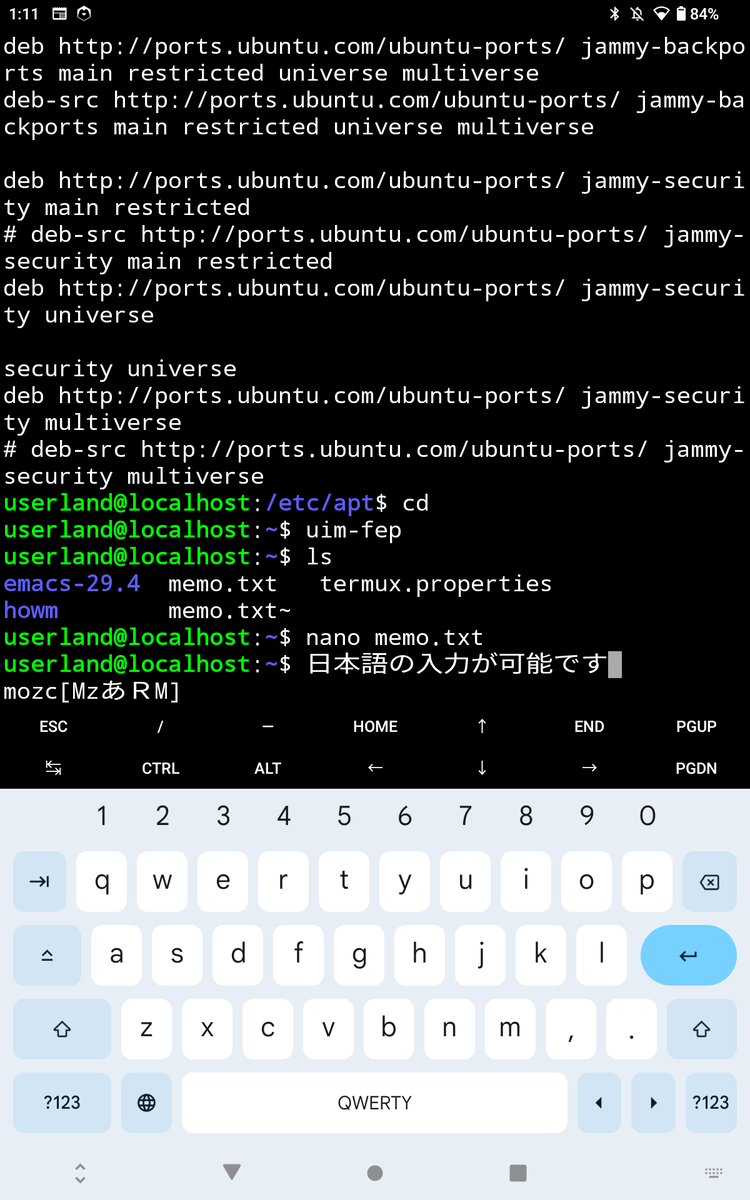
julia> println(result.content)
deb http://ports.ubuntu.com/ubuntu-ports/ jammy-backports main restricted universe multiverse
deb-src http://ports.ubuntu.com/ubuntu-ports/ jammy-backports main restricted universe multiverse

deb http://ports.ubuntu.com/ubuntu-ports/ jammy-security main restricted
# deb-src http://ports.ubuntu.com/ubuntu-ports/ jammy-security main restricted
deb http://ports.ubuntu.com/ubuntu-ports/ jammy-security universe

security universe
deb http://ports.ubuntu.com/ubuntu-ports/ jammy-security multiverse
# deb-src http://ports.ubuntu.com/ubuntu-ports/ jammy-security multiverse
userland@localhost:/etc/apt$ cd
userland@localhost:~$ uim-fep
userland@localhost:~$ ls
emacs-29.4  memo.txt  termux.properties
howm
memo.txt~
userland@localhost:~$ nano memo.txt
userland@localhost:~$ 日本語の入力が可能です
mozc [Mzあ RM]

ESC / - HOME ↑ END PGUP
← CTRL ALT ← ↓ → PGDN
1 2 3 4 5 6 7 8 9 0
q w e r t y u i o p
a s d f g h j k l
z x c v b n m , .
?123 QWERTY ?123
api_kwargsで指定する名前付きタプルにurl="http://xx.xx.xx.xx"とかで指定すると,別のPCのollamaサーバーに接続可能です。
ただし,サーバー側で外部からアクセス可能となるように別途設定が必要です。
num_ctxの指定とかは以前紹介した内容かと思います。
